Gacha Story - VN Creator
- 2.8
- Rating
- 1.00M
- Installs
- Free
- Price

 Analysis by App-foxy
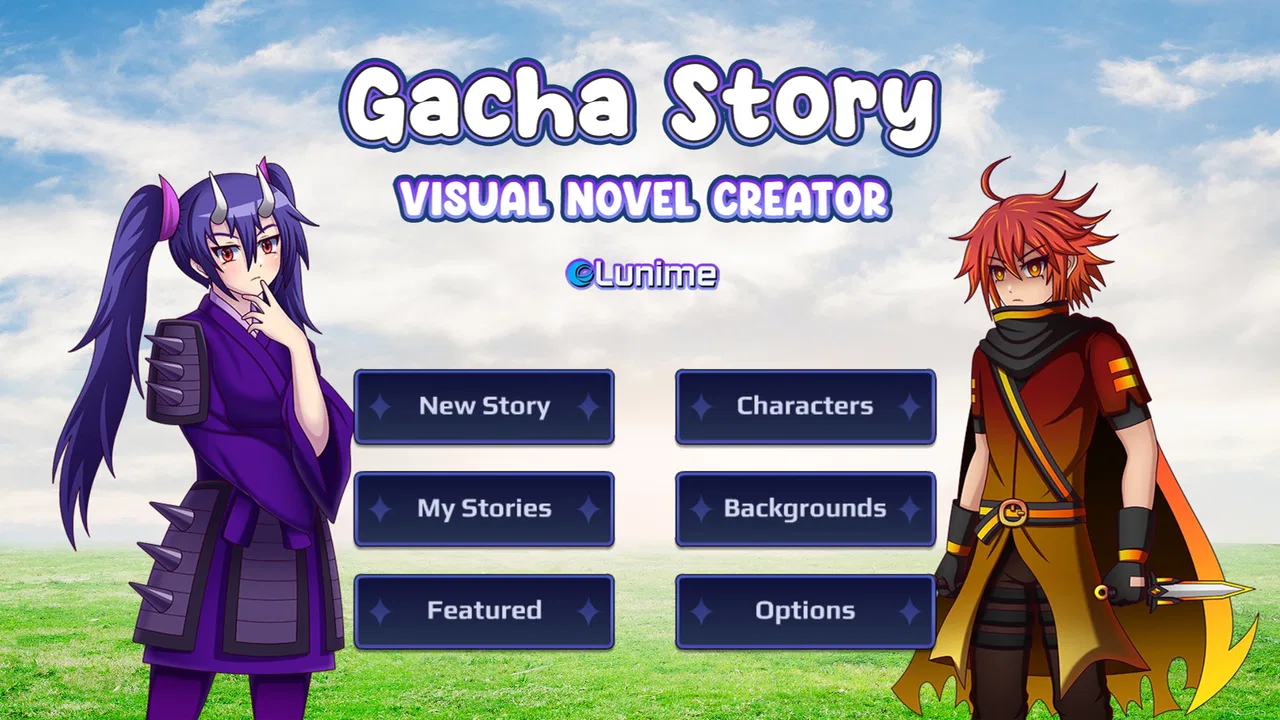
I approached Gacha Story - VN Creator as a role-playing game with a creative focus rather than a conventional adventure. Its main appeal is the chance to build visual-novel scenes around Gacha characters and then share the results with friends. That sounds simple, but the experience depends heavily on how comfortable you are with arranging characters, planning dialogue, and correcting small setup mistakes.
My first impression was that this is best understood as a storytelling workshop in game form. It is made by Lunime, the studio associated with the wider Gacha style, and it is free to try. The game is suitable for Everyone, runs on Android devices starting with Android 7.0, and its current version is 1.0.5. Those details make it approachable for families and younger creators, although the creative freedom still means parents may want to understand how a child intends to share finished scenes.
The important question is not whether it offers the depth of a full writing program. It does not need to. The better question is whether it gives you a comfortable way to turn character ideas into short visual stories without demanding advanced editing skills. In my experience, it can do that, but the smoothness of the process depends on keeping projects organized and treating each scene as a small, deliberate unit.
You May Also Like

 Blood Strike: 2.5 Anniversary
Blood Strike’s Loadouts Turn Every Drop Into a Tactical Gamble
A close look at Blood Strike’s custom loadouts: how fast access to signature weapons reshapes its battle royale rhythm, rewards preparation, and narrows the gap between fights.

 Pandora - Music & Podcasts
Pandora’s Music Is Easy to Start, but Harder to Recover
Pandora’s strength is its low-effort path from a seed to a station. Its weak spot is how much confidence it asks you to place in connection, setup, and quiet recovery.

 8 Ball Pool
 Is Built on Rivalries, Rematches, and Routine
A close look at the rivalries, rematches, shared routines, and unanswered safety questions that turn a quick pool match into a persistent mobile community.

 Samsung Music
’s Quiet Strength Is Playing What You Already Own
Its reach comes less from spectacle than from dependable access to a personal library. That simplicity is both the app’s strongest retention engine and its ceiling.

 AccuWeather: Weather Radar
AccuWeather Review: A Quick, Clear Forecast for Everyday Decisions
For everyday plans, the best forecast is the one you can understand quickly. AccuWeather makes rain timing, radar, and local conditions easy to act on, with a few trade-offs.

 Hill Climb Racing
Why Hill Climb Racing Still Turns Crashes Into One More Run
A tiny car, a bumpy hill and one more upgrade: Hill Climb Racing keeps resurfacing because its simple chaos makes every near-miss feel personal.
More From Our News Desk
View All News


Getting past the first creative roadblocks
I find the first creative hurdle is usually deciding what to make, not learning a complicated tool. I’d begin with a brief exchange and give it one clear purpose, then check whether the scene reads before adding more detail. That modest start makes the next challenge easier to see: how the characters and their visual presentation shape the story’s mood.
Why the opening workflow can feel less obvious than expected
The store summary presents the game as a way to create visual novels and share them with friends, but that description leaves out the practical challenge: a blank creative project can be harder to use than a finished game. When there is no ready-made level telling you what to do next, you have to decide who appears, what they say, where the scene goes, and how one moment leads to another.
I found that the easiest way to begin is to avoid planning a long story. Start with one short exchange between two characters. Give the scene a clear purpose, such as an introduction, a disagreement, or a small joke. This approach makes it easier to notice whether the character placement, dialogue order, and visual presentation are working before you invest time in a larger plot.
A common sticking point is expecting the creator tools to behave like a traditional chat app or word processor. Visual-novel creation is more sequential. A small change to the order of lines can alter the meaning of the scene, while a character positioned too close to another can make the frame look crowded. I recommend treating every scene as a storyboard first and a finished story second.
The most useful early habit is to test a scene before decorating it. Write the basic exchange, check how it reads from beginning to end, and only then spend time refining character choices and presentation. This saves frustration because visual polish cannot fix dialogue that feels confusing or a scene that lacks a clear ending.
Setup checks that prevent avoidable frustration
Before starting a serious project, I would check that the device has enough free space for the game and that the operating system meets the stated Android requirement. If the app does not install or opens unpredictably, restarting the device and checking for an available update are sensible first steps. The game was released on April 14, 2025, so keeping the installation current matters when troubleshooting behavior that may have changed between releases.
I would also begin with a small test project rather than immediately recreating an elaborate story. Add a couple of characters, create a short sequence, save it, close the game, and reopen it. This simple test answers an important practical question: whether your basic creation and recovery routine is working before you spend an evening on a larger script.
Another useful check is visual readability. A scene may look appealing while you are editing it but become harder to follow when several characters or visual elements compete for attention. Keep the first test uncluttered. Use a limited cast and make sure the person speaking is easy to identify. This is not just an aesthetic preference; it helps you determine whether the story structure is clear.
Sharing deserves a similar test. Since the game is built around showing creations to friends, I would first share a short, non-personal scene and confirm that the recipient can understand it. Avoid placing private information, real names, contact details, or recognizable personal situations into a project intended for wider circulation. The creative tools may encourage self-expression, but a public audience changes how carefully you should prepare each scene.
A workflow that makes recovery easier
When a project becomes confusing, I would not immediately delete everything and start again. First, identify the last part that definitely worked. If the opening scene displays correctly but a later scene does not, rebuild only that later section in a small test project. This separates a problem with the story arrangement from a broader issue with the app or device.
Working in short sections is especially valuable here. Instead of writing one uninterrupted visual novel, create a beginning, a middle, and an ending as separate creative goals. Check each part before moving on. If something goes wrong, you then have a much smaller area to inspect, and you can preserve the parts that already work.
I also recommend keeping a simple written outline outside the game. It can be no more than a few lines describing the purpose of each scene and the order in which characters appear. That outline becomes a recovery tool if you need to rebuild a section. It also prevents a frequent creative problem: changing details inside the editor until the original idea is no longer clear.
For dialogue-heavy stories, read the lines aloud before considering the scene complete. Spoken reading exposes repeated wording, abrupt transitions, and moments where it is unclear who is talking. This is one of the strongest advantages of a manual review workflow: the game provides the visual frame, but you remain responsible for the rhythm and clarity of the writing.
If a saved project behaves differently after reopening, make a controlled copy of the idea rather than repeatedly editing the same version. Keep the original untouched while testing a shorter reconstruction. That approach may feel slower, but it gives you a fallback and makes it easier to tell whether the issue comes from one scene or from the whole project.
Separating app trouble from device or project trouble
Not every failed result means the game itself is at fault. A device under heavy load can make editing feel unreliable, while a crowded project can be harder to manage than a short one. If a small test scene works but a large project does not, the practical answer is to simplify the larger project and rebuild it in sections rather than assuming the entire installation is broken.
Likewise, a sharing problem may involve the receiving device, the chosen communication method, or the way the project was prepared. Test with a trusted friend and a simple creation first. If that works, add complexity gradually. This method avoids confusing a single failed transfer with a universal limitation of the game.
General troubleshooting should remain conservative. Close and reopen the app, restart the device, check the installation, and reproduce the problem with a minimal project. If the issue continues across simple projects, consult the appropriate support route for the platform rather than repeatedly changing a valuable story. I would avoid clearing app data casually, because that can affect locally stored work.
There is also a human factor. Younger users may describe a scene as “broken” when the real issue is that a character is hidden, dialogue is out of order, or the scene has become too busy to read. Asking them to demonstrate the exact steps with a tiny project often reveals the problem faster than trying random fixes.
Where this creator fits among familiar alternatives
Compared with a standard role-playing game, this is much less about following a predetermined quest and much more about directing your own presentation. If you want combat, exploration, character progression, or a long campaign designed by someone else, a conventional role-playing title will probably be more satisfying. This game’s reward comes from making a scene that communicates an idea.
Compared with a general writing app, it offers a more visual and character-centered starting point. You are not simply looking at a blank page, which can help creators who think in terms of expressions, poses, and conversations. The trade-off is flexibility: a dedicated writing tool is usually better for extensive planning, editing long passages, or managing complex drafts.
Compared with a full visual-novel development environment, the attraction here is accessibility. You can begin with the Gacha presentation style instead of learning a programming language or building every visual asset from scratch. The compromise is that experienced creators may eventually want more control over branching structure, presentation, or export workflows than this compact creator-focused game provides.
That makes the audience fairly specific. It is a good fit for someone who wants to experiment with short character scenes, share playful stories, or learn the basics of visual sequencing. It is less suitable for a writer who already has a large branching script, a developer seeking extensive customization, or anyone looking for a finished role-playing campaign rather than a creative tool.
Everyday uses that make the game worthwhile
A realistic use case is a short after-school project. A student can sketch a conversation between two original characters, arrange the scene, and show it to friends without needing to produce a full-length game. The limited scope is an advantage in this situation because a small story can be completed and reviewed in one sitting.
It can also work as a low-pressure way to rehearse storytelling. I would use it to test whether a character’s personality comes through in dialogue, whether a conflict has a clear resolution, or whether a joke depends too much on explanation. The visual setup gives immediate context, so you can judge not only the words but also the relationship between the characters on screen.
For families, the Everyone age rating makes the game broadly approachable, but I would still encourage a conversation about sharing. A child may understand how to create a funny scene without understanding that a public post can travel beyond the intended group. Keeping early projects fictional and avoiding identifying details is a practical way to enjoy the creative side responsibly.
For fans of the Gacha aesthetic, the game may be more inviting than a blank writing application because the visual language is already familiar. For people who do not enjoy character customization or dialogue-driven scenes, however, the central appeal may wear thin quickly. The game cannot compensate for a lack of interest in creating stories, because creation is the main activity rather than a side feature.
What the rating and audience suggest
The game has an average rating of 3.0 from around four thousand ratings, with a little over three hundred written reviews. I would read that as a sign to keep expectations measured. It has attracted a substantial audience, with more than a million installs, but popularity does not guarantee that every player will find the editing process intuitive or complete enough for ambitious projects.
Those figures also make the game interesting as an accessible experiment rather than a guaranteed polished replacement for professional tools. It is free, which lowers the risk of trying it, and the age classification keeps the entry point broad. Still, free access should not be confused with effortless creation. The time cost moves from purchasing the game to planning, arranging, testing, and revising your scenes.
My advice is to judge it after completing one deliberately small project. If you enjoy deciding how characters interact and refining the sequence until it reads well, the game has probably found its audience in you. If the basic act of arranging a short conversation feels like work, a conventional game or a simpler storytelling app may be a better use of your time.
My practical verdict
Gacha Story - VN Creator is a free role-playing creative game that succeeds when you approach it as a compact visual storytelling workspace. Lunime has aimed it at people who want to make character-led scenes and share them, not at players searching for a traditional adventure. I like that it lowers the barrier between having a story idea and presenting that idea visually.
Its main weakness is the same thing that gives it purpose: you have to supply the structure. New users can get stuck when they begin with an oversized project, mix too many characters into one scene, or treat the editor like an ordinary text box. A short outline, a test project, and regular checkpoints make the experience considerably easier to control.
I would recommend it to younger creators, Gacha fans, casual writers, and friends who want to build short visual scenes together. I would skip it if you need a deep role-playing campaign, advanced novel-production controls, or a professional writing workflow. For everyone else, the sensible approach is to start small, test the complete creation process, and expand only after the basic sequence feels dependable.
In the end, this is not a game I would choose for instant entertainment. I would choose it when I have an idea to stage. Its value appears during the cycle of arranging, reading, revising, and sharing. If that hands-on process sounds enjoyable, the free entry point makes it worth exploring; if you want the game to provide the story for you, its creator-first design will likely feel limiting.
FAQs for Gacha Story - VN Creator
01What is Gacha Story - VN Creator?
Gacha Story - VN Creator is an innovative app that allows users to create visual novels with customizable characters and storylines. Whether you're a seasoned storyteller or a beginner, the app offers tools to design intricate plots and engaging dialogues, making it easy to bring your creative ideas to life.
02Is Gacha Story - VN Creator free to use?
Yes, Gacha Story - VN Creator is free to download and use. However, it offers in-app purchases that provide additional features, character customization options, and advanced tools to enhance the storytelling experience. This allows users to expand their creative possibilities beyond the basic offerings.
03What are the system requirements for Gacha Story - VN Creator?
Gacha Story - VN Creator requires iOS 11.0 or later for Apple devices and Android 5.0 or higher for Android devices. It’s recommended to have a device with a decent amount of storage and processing power to ensure smooth performance, especially when working on complex projects.
04Can I share my visual novels created in Gacha Story - VN Creator?
Absolutely! Gacha Story - VN Creator allows you to share your creations with friends or the app's community. You can export your visual novels in various formats, making it easy to distribute them through social media, email, or other platforms, allowing others to enjoy your work.
05Does Gacha Story - VN Creator have a community or support system?
Yes, Gacha Story - VN Creator has a vibrant community where users can share their work, ask questions, and get feedback. The app also provides a support system where users can find tutorials, FAQs, and customer support to help resolve any issues or learn new techniques.
Pros
- User-friendly interface for easy story creation.
- Extensive library of characters and assets.
- Offline mode allows play without internet.
- Customizable character designs enhance creativity.
- Regular updates with new content and features.
Cons
- Limited export options for completed stories.
- In-app purchases can add up quickly.
- Some features are locked behind a paywall.
- Occasional lag on older devices.
- Ads can be intrusive during gameplay.

Gacha Story - VN Creator
Gallery